
David Runciman · 26th January 2026
The best Salesforce code review tools in 2026
Static code analysis and automated code reviews are essential for Salesforce teams — even more so with the rise of vibe coding. AI makes it easy to generate large volumes of Salesforce code quickly, but the quality of that code needs to be validated before release.
Whether you’re catching security vulnerabilities, enforcing coding standards, or reducing technical debt, the right automated Salesforce code review tools can mean the difference between shipping confidently and dealing with fires in production.
In this article, we’ll survey the Salesforce code review market. We’ll look at open-source solutions adapted for Salesforce, standalone code analysis platforms, and Salesforce-specific code review solutions built into DevOps platforms.
Cards on the table: we believe Gearset Code Reviews, which treats code analysis as an integral part of the DevOps lifecycle, is the most comprehensive and reliable solution to ensure code quality and security for the Salesforce platform. But we’ll show you exactly why we think that, and let you decide what makes sense for your organization.
Criteria for evaluating code review solutions
First, let’s identify what good looks like for automated code review solutions. These are the criteria we’ll use to evaluate different tools in the market:
- Comprehensive platform coverage that scans more than just Apex code, including Flows, Lightning Web Components, Visualforce, Agentforce and metadata
- Implementation doesn’t unduly slow down the overall delivery process or development cycle
- Accurate, low-noise results to avoid overwhelming Salesforce developers with false positives
- Effective quality gates that distinguish between new code and technical debt
- Seamless integration with your Git workflows and continuous integration pipelines
- Actionable insights that help development teams improve over time, not just flag issues
- Predictable costs that scale with your team, not your codebase
1. Gearset Code Reviews
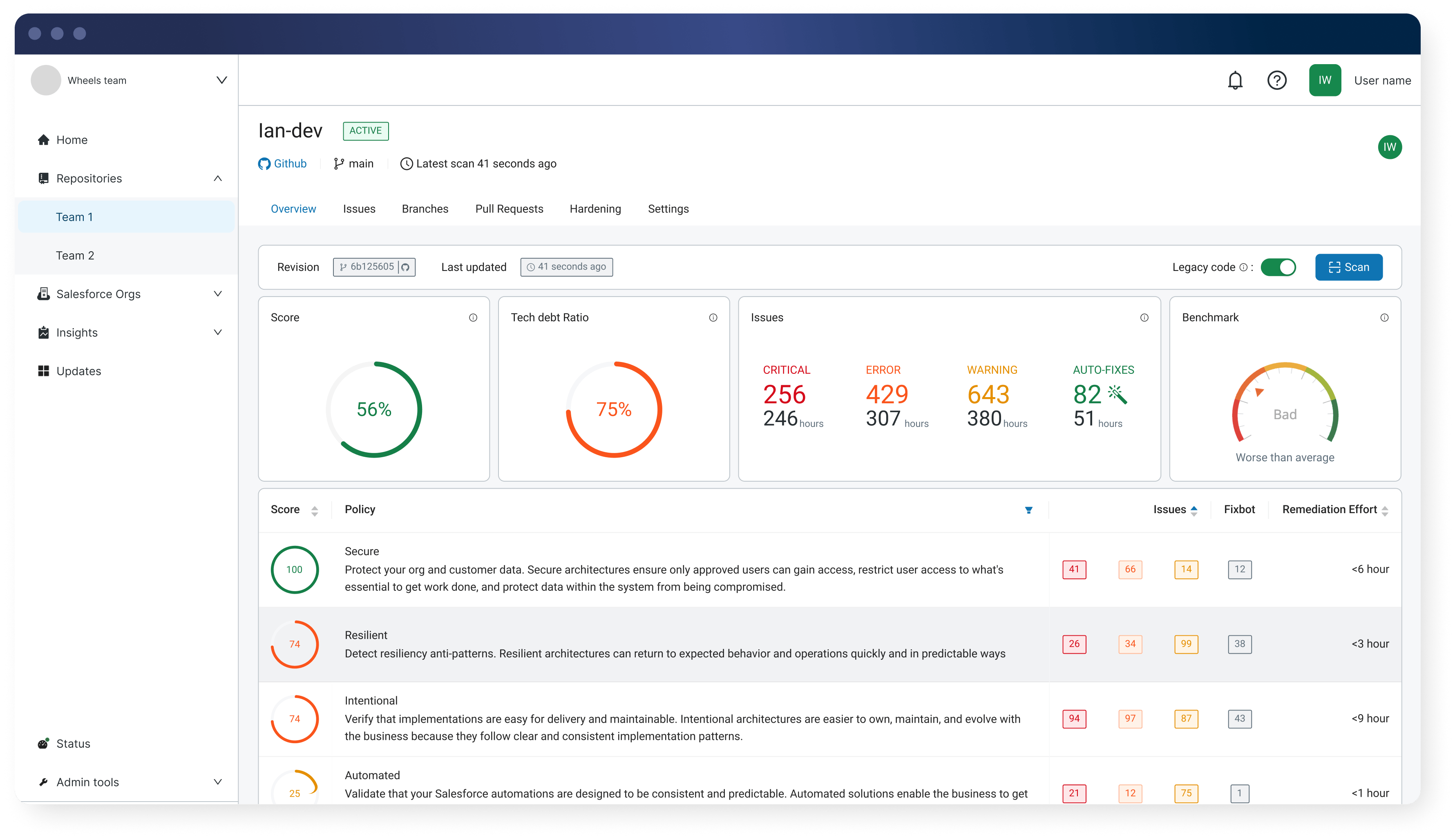
Gearset Code Reviews (formerly Clayton) provides enterprise-grade code reviews built specifically for the Salesforce platform. Code Reviews can be purchased as a powerful standalone solution for code analysis. It also forms part of Gearset’s DevOps platform, tightly integrating with your CI/CD pipeline.
Strengths:
- Full platform coverage. Built specifically for Salesforce, Code Reviews scans 300+ metadata types including Apex, Flows, Lightning Web Components, Aura, Visualforce, Agentforce, Profiles, Permission Sets, and more.
- Handles technical debt intelligently. Distinguish legacy issues from new violations, so you can start gating immediately without months of cleanup work.
- Higher detection precision. Proprietary technology analyzes code in the context of your org, dramatically reducing false positives.
- Automated fixes. Implement fixes automatically for many common problems, so rigorous code reviews don’t slow down delivery.
- Pre-configured rulesets. Rules are aligned with OWASP security standards and the Salesforce Well-Architected framework.
- Better false positive handling. Dismissed issues stay dismissed for subsequent scans in the release process.
- Seamless integration. Integrate with all major Git hosting providers (GitHub, GitLab, Bitbucket, Azure DevOps) and Gearset Pipelines.
- Always up-to-date. Code Reviews keeps you ahead of the latest Salesforce releases and security guidance.
Weakness:
Code Reviews is a paid-for solution. Organizations already standardized on free open-source tools may face internal hurdles justifying the investment, even though the time savings and reduced risk provide clear ROI.
Pricing and implementation:
Code Reviews is licensed at $150 per active contributor per month. There are no limits on the number of Salesforce orgs or Git repositories you can connect.
Code Reviews can be purchased standalone or as part of Gearset’s complete DevOps platform, which includes CI/CD pipelines, automated testing, backups, data deployments, and more.
2. PMD
Lots of teams get started with Salesforce static code analysis using PMD (Programming Mistake Detector). As a free, open-source tool maintained by the community, it’s been a staple for years and is included in Salesforce’s Code Analyzer toolset.
Several commercial platforms are built on top of PMD. For example, Quality Clouds uses PMD as its code analysis engine while focusing on broader platform governance and quality management. Gearset also offers PMD out-of-the-box as well as Code Reviews.
Strengths:
- Free and open source
- Community-maintained with frequent updates
- Pre-built rulesets ready to use immediately
- IDE plugins available for local development
- Easy to integrate with GitHub and other version control systems
Weakness:
PMD has limited customization options and can generate significant noise in the form of false positives. For larger codebases with years of technical debt, Salesforce teams often find themselves with extensive violation reports, requiring them to either spend time cleaning up legacy code or disable rules that flag too many issues.
PMD also only covers Apex and Visualforce. Modern Salesforce orgs built heavily on Flows and Lightning Web Components are left largely unprotected.
Pricing and implementation:
PMD is completely free. However, the “build vs buy” conversation should focus on the engineering time required to maintain it. Development teams need to configure rulesets, integrate it into CI/CD workflows, manage IDE plugins for Visual Studio Code and other environments, and triage the noise it generates. For smaller teams especially, this diverted capacity has a real cost.
3. Salesforce Code Analyzer
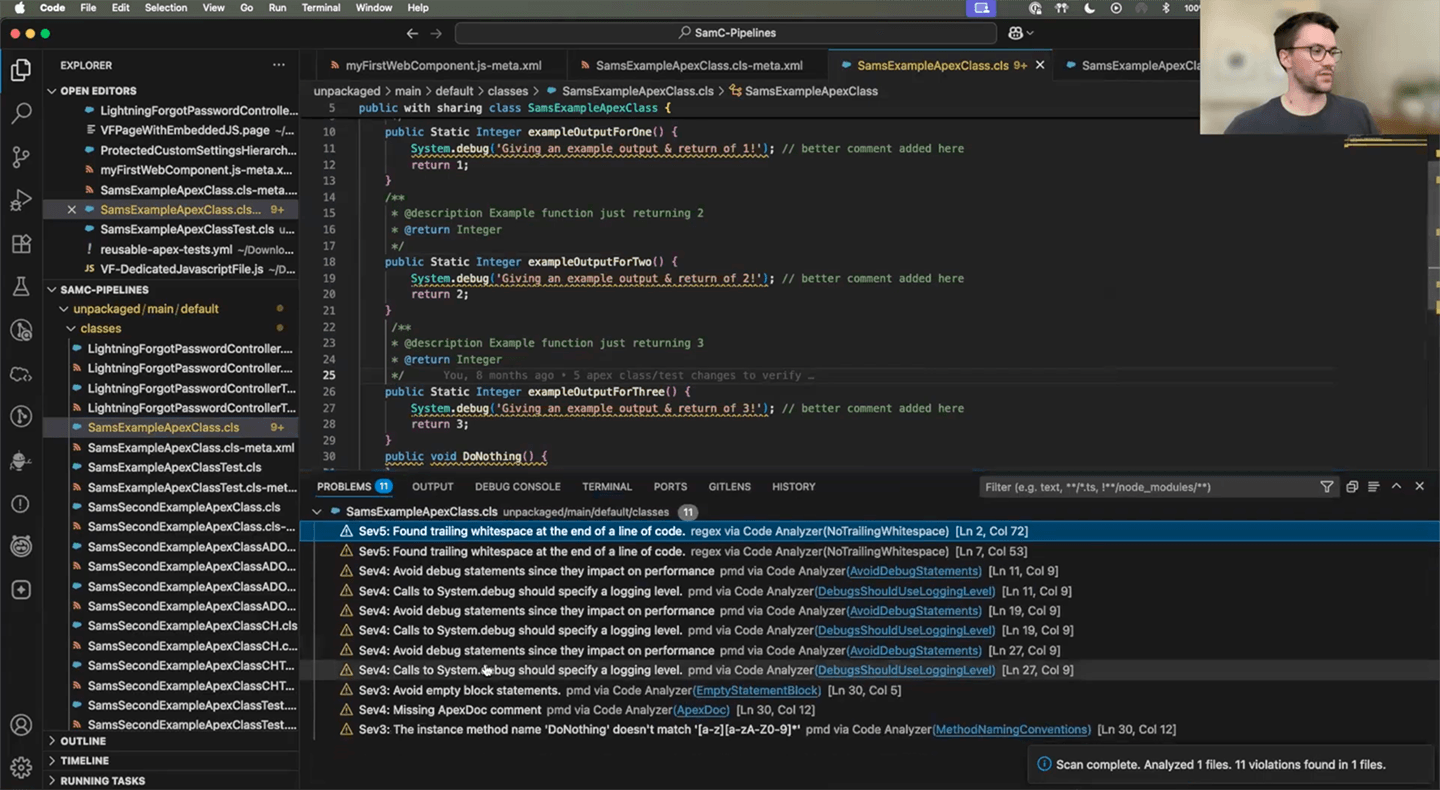
Salesforce’s own Code Analyzer (SFCA) extends beyond PMD by including multiple analysis engines: PMD for Apex, ESLint for Lightning Web Components, RetireJS for outdated libraries, and Salesforce Graph Engine for understanding code execution flows.
Strengths:
- Free, open source, and Salesforce-native
- Multiple scanning engines provide broader coverage than PMD alone
- Generally faster performance than single-engine tools
- IDE plugins available
- Easy GitHub integration via GitHub Actions
Weakness:
Despite having multiple engines, Code Analyzer has coverage gaps in some areas. Flow analysis is limited (only 2 rules as of February 2025), and it doesn’t cover some metadata types like Profiles and Permission Sets.
Code Analyzer can’t scan deltas on pull requests, so it can’t distinguish between new code and existing technical debt. This means quality gates apply to your entire codebase rather than just new changes, leading to noisy results.
Reporting is another limitation. Code Analyzer provides only point-in-time scanning with no visibility into trends, progress on remediation, or historical quality metrics.
Pricing and implementation:
Code Analyzer is free but requires significant engineering investment. You’ll need to write custom scripts for CI/CD integration, build your own reporting dashboards, and manually manage the complexity of running multiple scanning engines with different rule configurations.
4. CodeScan (by AutoRABIT)
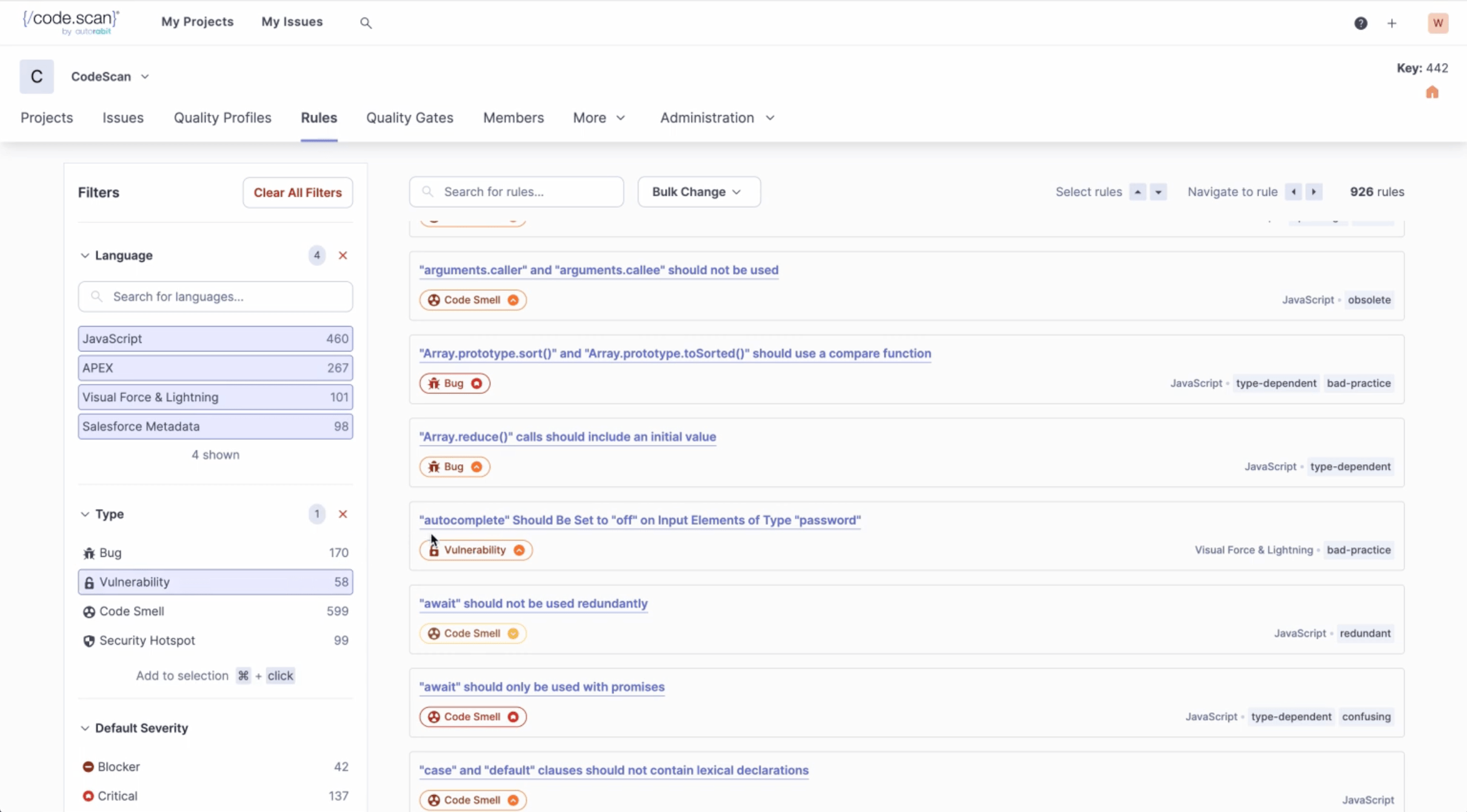
CodeScan positions itself as an upgrade from PMD, offering a larger rule set and commercial support.
Strengths:
- Rule set with 801+ rules as of April 2025
- IDE plugin for local code scanning
- Commercial support and regular updates
Weakness:
CodeScan isn’t able to differentiate technical debt from new issues. When you implement CodeScan on an existing Salesforce org, you see every violation in your entire codebase — potentially thousands of issues accumulated over years. The tool requires you to either remediate historical violations before you can effectively gate new code, or configure it to ignore existing issues. This approach extends the time to value. Organizations implementing CodeScan often need to address legacy code before they can properly introduce quality gates.
CodeScan also allows Salesforce developers to suppress scanner detections by annotating their code. While this provides flexibility, it can make it harder to maintain consistent standards across the team.
Flow and Salesforce metadata support remains limited compared to next-generation tools.
Pricing and implementation:
CodeScan pricing is based on lines of code. This typically works out cheaper than competitor pricing for greenfield implementations with small codebases, though customers report significant price increases over time as codebases grow. Multi-org deployments can become significantly more expensive with CodeScan’s per-org licensing model.
Implementation time is considerably longer than modern alternatives due to the technical debt remediation requirement before gates become effective.
5. Sonar (SonarQube/SonarSource)
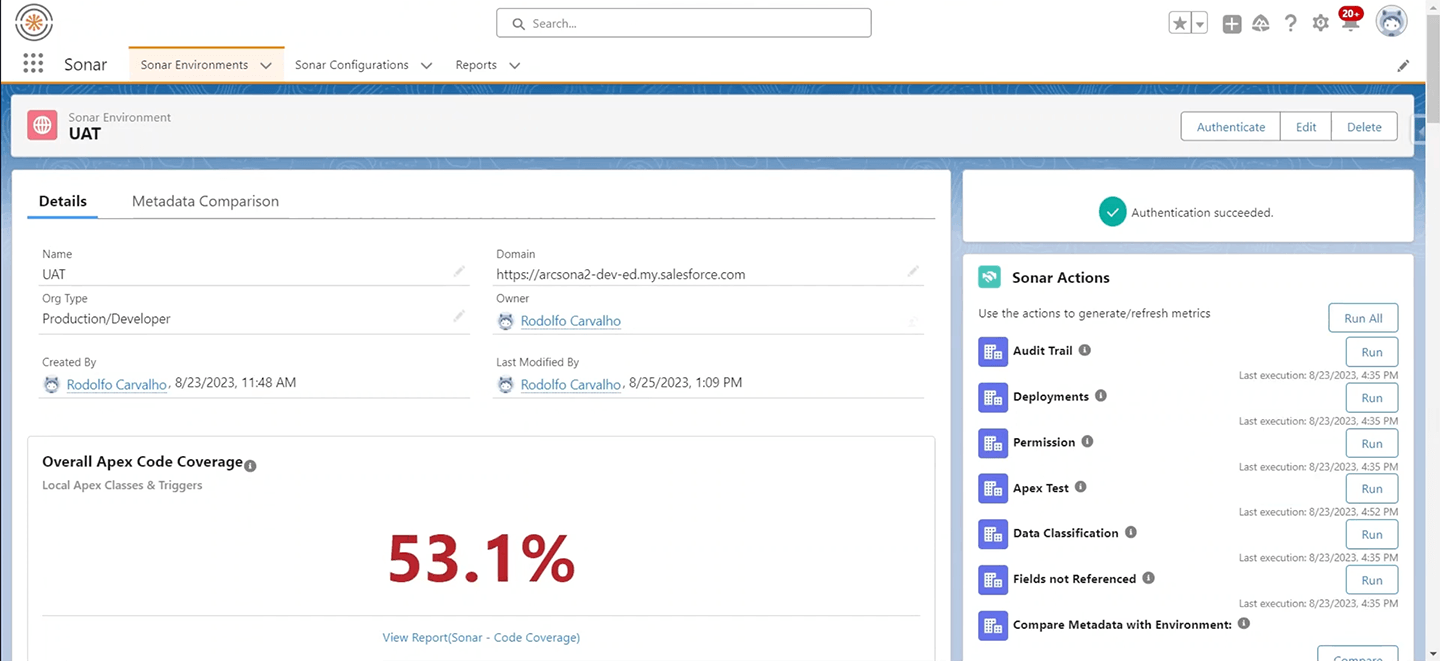
Sonar is the most recognizable name in code quality, having established itself as the de facto standard for code analysis across the software industry.
Strengths:
- The most well-known code quality product in the industry
- Generally commoditized, so your organization may already have licenses
- IDE plugins available
- Mature reporting and quality gate features for supported languages
Weakness:
Salesforce support in SonarQube is limited to Apex code; it doesn’t analyze Flows, Lightning Web Components, or other metadata types. For modern Salesforce environments, that leaves significant gaps in coverage.
The Salesforce support that does exist may not always reflect the latest Salesforce security guidance and best practices, as updates to Salesforce-specific rules can lag behind platform changes.
Pricing and implementation:
Pricing is based on lines of code, with Apex scanning requiring the highest Enterprise tier. However, since many organizations already have SonarQube licenses for other development work, Salesforce teams can often use it at no incremental cost.
Implementation requires integrating Salesforce code scanning into your existing SonarQube instance, which can take some configuration work depending on your CI/CD setup.
6. GitHub Copilot
Tools like GitHub Copilot can review code in pull requests and suggest improvements, going beyond the rule-based approach of traditional static analysis tools.
Strengths:
- Can make sophisticated suggestions that rule-based tools miss
- Can factor for context better than pattern-matching tools
- Can explain issues in natural language
Weakness:
Any LLM-based code review is non-deterministic. Running the same code through multiple times produces different results: different security issues flagged, different severity assessments, different recommendations. This makes it challenging to use for quality gates or compliance reporting where consistency is important.
AI coding assistants can also produce code with security vulnerabilities or quality issues. The suggestions may look plausible but could introduce subtle bugs or performance issues.
LLM-generated suggestions may not always align with the latest Salesforce-specific guidance and best practices, as these AI tools are trained on general programming patterns rather than platform-specific recommendations.
And with Salesforce developers increasingly generating their changes with AI, using GitHub Copilot has AI marking its own homework. When it comes to reviewing code, a degree of determinism in your guardrails is essential to catch security flaws and maintain quality code.
Pricing and implementation:
GitHub Copilot costs $21 per developer per month (or $39/month for Copilot Business). Implementation is straightforward if you’re already using GitHub.
7. Custom LLM integrations (ChatGPT, Claude, etc.)
Some teams are building their own code review automation using Claude, ChatGPT, or other LLM APIs to review pull requests.
Strengths:
- Fully customizable to your specific needs
- Can be tailored to your org’s coding standards
- Potential for more sophisticated analysis than rule-based tools
- Can integrate feedback and explanation alongside analysis
Weakness:
The same non-deterministic issues apply here as for tools like GitHub Copilot. Non-deterministic, AI-based review tools don’t provide consistent results every time, so you can’t guarantee that security and compliance standards are being followed.
Without careful prompt engineering and validation frameworks, custom LLM solutions will miss some security issues or generate overconfidence in problematic code. In particular, LLMs miss some of the nuances of the Salesforce platform and will lag behind the latest best practices and known vulnerabilities.
Building and maintaining custom automation also requires engineering investment, and you’ll need to manage API costs, prompt engineering, and ongoing refinement as LLMs evolve.
Pricing and implementation:
API costs vary based on your usage. ChatGPT’s GPT-5.2 costs $1.75 per million input tokens and $14 per million output tokens. Claude’s API costs approximately $3 per million input tokens and $15 per million output tokens. For regular automated code reviews, monthly costs could range from a few hundred to several thousand dollars depending on your codebase size and review frequency.
Key takeaways
- You need comprehensive platform coverage. Tools that only scan Apex leave significant gaps in your code quality strategy. When security flaws or performance issues exist in unscanned components, they remain invisible until they cause problems in production.
- Reliable review automation currently needs deterministic capabilities. AI-based code review assistants produce different results each time they scan the same source code. This inconsistency makes them unsuitable for quality gates or compliance reporting where you need consistent detection of security issues. Rule-based static code analysis tools provide deterministic results — the same code scanned multiple times will flag the same problems consistently.
- Distinguishing new issues from tech debt accelerates implementation. Tools that force you to fix all historical violations before enforcing quality gates can delay value by months, unless you ignore new violations of certain kinds to silence noisy results from code scans. Solutions that separate legacy issues from new code let you start gating immediately while addressing technical debt on your own timeline.
Learn more about automated code reviews
For teams already using Gearset for deployments, backups, or CI/CD, adding Code Reviews creates a unified DevOps workflow where quality is built in rather than bolted on. For teams not yet using Gearset, Code Reviews is available as a standalone solution that integrates with any Git-based workflow.
Explore Gearset Code Reviews for your team today. And if you’re looking to learn more about static code analysis for Salesforce, you can take the free Static code analysis and PMD course on DevOps Launchpad.